Web Page Design (From First Sketch to Finished Site)
Understand the parts of web design and how to make a site work well.
What web page design means
Web page design is the work of shaping a website’s visual layout and user experience. It covers what visitors see, how they move through a site, and how easily they can find what they need. A strong design joins clear visuals with useful features. It helps visitors understand a page without extra effort.
Design applies to single pages and whole websites. A designer may plan the page structure, choose fonts and colors, place images, and shape navigation. They also consider how each page looks on a phone, tablet, or desktop screen. Good design is not just decoration. It helps a site meet its goals.
For example, a local bakery might use warm colors, clear product photos, and a short path to its opening hours. A software firm might use a calm color set, simple diagrams, and a visible request form. Each design supports a different audience and task. The choices should fit the brand and the people who use the site.
Web page design often includes both UI and UX. UI, or user interface, covers the controls and visual parts people use. UX, or user experience, covers how easy and pleasant the site is to use. They overlap, but they answer different questions. Does the page look clear? Can visitors finish what they came to do?

The visual and functional parts of a web page
The visual parts include type, color, images, icons, and spacing. Type should be easy to read at common screen sizes. Colors can guide attention and support brand recognition. Images should fit the page and load at a sensible size, so they do not slow the visit.
Functional parts shape how the site works. Navigation tells visitors where they are and what they can do next. Site structure groups related pages in a way that makes sense. Usability means visitors can use those features with little confusion.
These parts work best as one system. A bright button may stand out, but it will not help if its label is vague. A tidy menu may look good, but it fails if key pages are buried. Think about each part in terms of the visitor’s task.
- Fonts: use a small set of type styles for headings and body copy.
- Colors: pick a clear palette with enough contrast between text and its background.
- Images: choose useful, sharp images that support the page topic.
- Navigation: use plain labels and keep key links easy to find.
- Structure: group pages and content in a clear order.
Small choices can have a large effect. A clear heading helps a reader scan. A well-named menu link sets the right expectation. A page with clear structure is easier to use and easier to update.
Why good web design matters
Good web design shapes how people judge a brand. Visitors often form an opinion from the first page they see. A consistent look, clear writing, and working links can make a business feel more credible. Poor layout, hard-to-read text, or broken features can do the opposite.
Design also affects user engagement. Visitors are more likely to read, browse, or take action when the next step is clear. For instance, a service page can place its main offer, proof, and contact link in a natural order. This reduces the work needed to decide what to do.
Web design can support SEO, too. Search engines need to crawl and understand a site. Clear page structure, useful content, descriptive links, and mobile-friendly layouts can help. Design alone does not guarantee high rankings. It should support strong content and sound site setup.
Good design also helps people with different needs. Readable text, clear focus states, and useful image descriptions can make pages easier to use. These choices are practical, not just visual. They help more people reach the same information.
Measure the result with real signals. Check whether visitors find key pages, use the main links, or complete a form. Compare results before and after a change. A small test can show whether a new layout solves a real problem.
Web design and web development: how they differ
Web design focuses on the look, layout, and ease of use of a website. Web development focuses on building the site with code and making its features work. A designer may plan how a booking form should appear. A developer builds the form and connects it to the right tools.
The two areas meet throughout a project. Design choices must fit what the site can do. Development choices must preserve the intended layout and user flow. Teams often share sketches, page plans, and working examples to catch issues early.
Some people do both jobs, especially on small projects. Website builders also combine design controls with built-in features. Still, the skills differ. Design asks what visitors should see and do. Development asks how to make those actions work.
In short, “web page design and development” refers to related but distinct work. A good project gives both areas time and clear goals. That helps avoid a polished design that cannot be built, or a working site that feels hard to use.
Principles that make web design effective
Balance helps a page feel steady rather than crowded on one side. It does not mean every item must be centered or mirrored. A large image can balance a group of short text blocks. The key is to guide the eye without making the layout feel lopsided.
Contrast makes important items stand out. It can come from color, size, shape, or space. For example, a dark heading on a light background is easier to spot than one with little contrast. Use contrast with care, so the page still feels unified.
Visual hierarchy shows readers what matters most. Use heading size, placement, and spacing to mark the order of ideas. A page title should be easy to find, while supporting details should not compete with it. Strong hierarchy helps people scan before they read closely.
White space is the open area around text and other parts. It is not wasted space. It separates ideas and gives key items room to stand out. A page with enough space can feel calmer and easier to follow.
Responsive design helps a page fit different screen sizes. Adaptive design can use set layouts for selected screen widths. In either case, check how text, images, and controls behave on phones and larger screens. Do not assume a desktop layout will work on a small screen without changes.
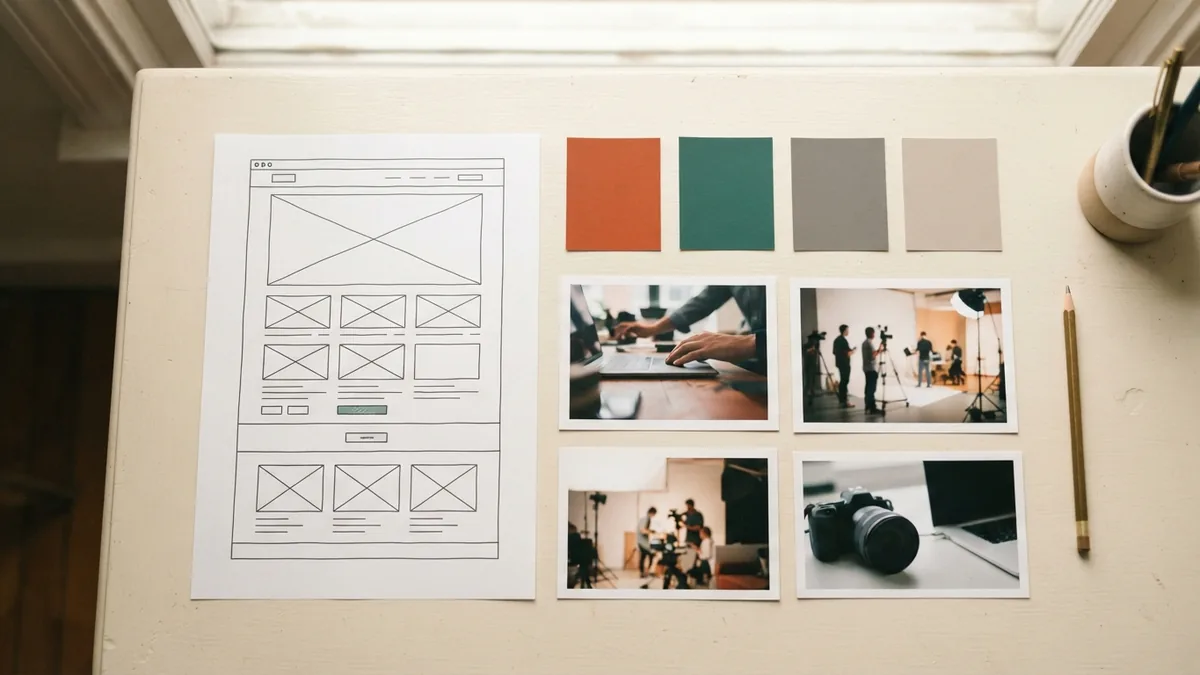
Web design tools and useful techniques
Designers use different tools for different tasks. Figma is commonly used to plan page layouts and share drafts. Adobe Photoshop can help edit or prepare images. WordPress and Wix let people build pages with themes and visual controls, often without writing much code.
Choose a tool based on the work at hand. A simple brochure site may suit a website builder. A team that needs custom layouts may prefer design software and a separate development workflow. Try a small test page before moving a large site or buying more tools.
Tools do not make design decisions for you. Start with the page goal and the needs of its readers. Sketch a rough layout on paper or in a design app. Then test the draft with a few people who match the intended audience.
- Set one main goal for each page, such as booking, buying, or learning.
- Group related content and order it by what visitors need first.
- Use a consistent set of colors, type sizes, and button styles.
- Check the page on a phone and a desktop screen.
- Ask a test reader to find one key item without help.
For a custom site, HTML gives pages their basic structure. CSS controls much of their visual look. You can make a simple page by writing headings, paragraphs, links, and image tags in HTML. A browser then displays that structure, while CSS can set its colors, spacing, and layout.
How to create an engaging web page design
Begin by naming the page’s purpose and audience. Write down the main action a visitor should take. A product page may aim for a purchase. A help page may aim to answer a question without a support call. Clear goals make later design choices easier.
Next, gather the content and sort it by importance. Put the main message near the top, then add proof and detail where they help. Build a simple page outline before choosing colors or images. This keeps decoration from taking over the task.
Make a rough layout, then refine it. Use headings to break up long sections. Keep important links easy to spot, and make buttons say what happens next. For example, “View plans” gives more context than “Click here.”
Check how the page works on different screens. Make sure text does not shrink too much and buttons are easy to tap. Test menus, forms, and links. Fix any parts that need pinching, guessing, or repeated taps.
Finally, review the page with fresh eyes. Ask someone to find a key detail or complete the main task. Watch where they pause or make a wrong turn. Use those moments to improve the layout, labels, or content.
Vibrant colors can make a page feel lively and draw attention. They can also distract if every section uses a bright shade. Use bold color for a few key items, such as a call to action or a small highlight. Keep the rest of the palette calm enough for the content to remain clear.
Strong web design communicates value through its choices. A clean service page can suggest care and focus. A playful shop may feel more welcoming through bright colors and rounded shapes. Match the design to the promise you want visitors to remember.